Tic Tac Toe AI (Python Project with GUI & Source Code)Tic Tac Toe AI (Python Project with GUI & Source Code)
If you’re looking for a ready-made Python project with GUI, for learning purpose and for college submission, placement prep, or demo, this is a solid pick.
This is not a basic command-line game. It’s a complete desktop application built using PyQt5, with a clean interface, smart AI, sound effects, and real-world features like dark mode and score saving.
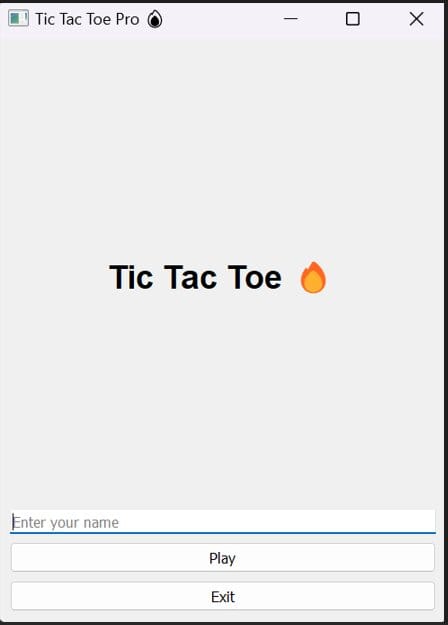
Start Screen:
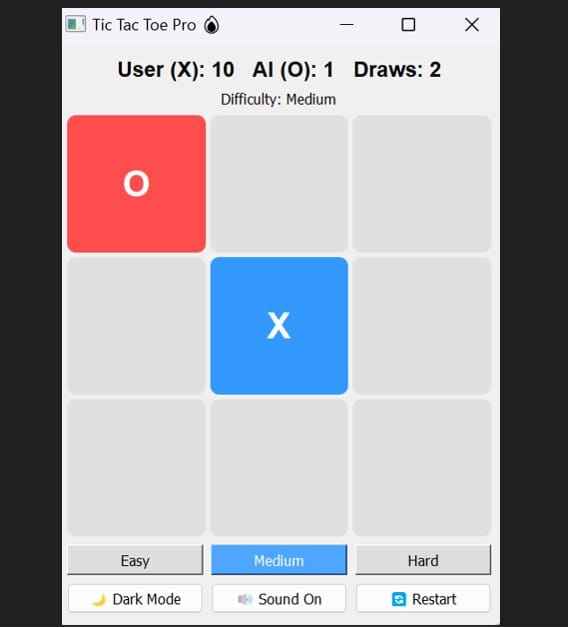
Game Screen:
What makes this project useful?
Most Tic Tac Toe projects you’ll find online are too simple to actually showcase.
This one is different — it’s built like something you can actually present:
- Works as a desktop application (.exe included)
- Has a proper UI (not just terminal output)
- Includes AI logic using Minimax
- Supports difficulty levels (Easy / Medium / Hard)
- Saves scores locally
- Includes sound and dark mode
If you need something you can confidently show in a viva, interview, or project demo, this fits well.
Who is this for?
This project is especially helpful if you are:
- A student looking for a Python mini project with GUI
- Preparing for campus placements or interviews
- Wanting a ready-made AI project with source code
- Learning PyQt5 or desktop app development
- Looking for a final year or minor project idea/demo
What you’ll get
- Full Python source code with comments for easy understanding
- Working .exe file
- Assets (sound files)
- Clean project structure
- README with project details and setup instructions
You can either run it directly or explore the code and modify it.
Concepts covered
This project is actually useful from a learning perspective too:
- GUI development using PyQt5
- Game logic implementation
- AI using Minimax algorithm (with pruning)
- Event-driven programming
- Saving data locally using JSON
- Converting Python apps into executable files
How you can use it
- Run the .exe and use it directly for demo
- Show the code during interviews
- Customize UI or features and make it your own
- Upload to GitHub as a portfolio project
Why people choose this
Because it saves time.
Instead of building everything from scratch, you get a working, presentable project that you can understand, tweak, and use where needed.
Final note
If you just need any project, this might feel like overkill.
But if you want something that actually looks good when you show it — this does the job.
📌 Quick keywords
python project
pyqt5 project
python gui project
ai project python
tic tac toe python
minimax algorithm python
python project for placement
final year project python
desktop application python
python source code download