Build a Chess AI in Python using Minimax and Alpha-Beta pruning. Download complete source code, GUI with Pygame, and use it for final year projects or resume.
If you’ve been searching for a Python Chess AI project with source code, a Minimax implementation with GUI, or a complete AI-based game project, this is exactly what you need.
This project is ideal for students, developers, and learners who want to build something meaningful. If you’re preparing for placements, working on a final year submission, or simply exploring Artificial Intelligence, this Chess AI project is a perfect choice.
Download the project, explore how it works, and start building your own intelligent applications.
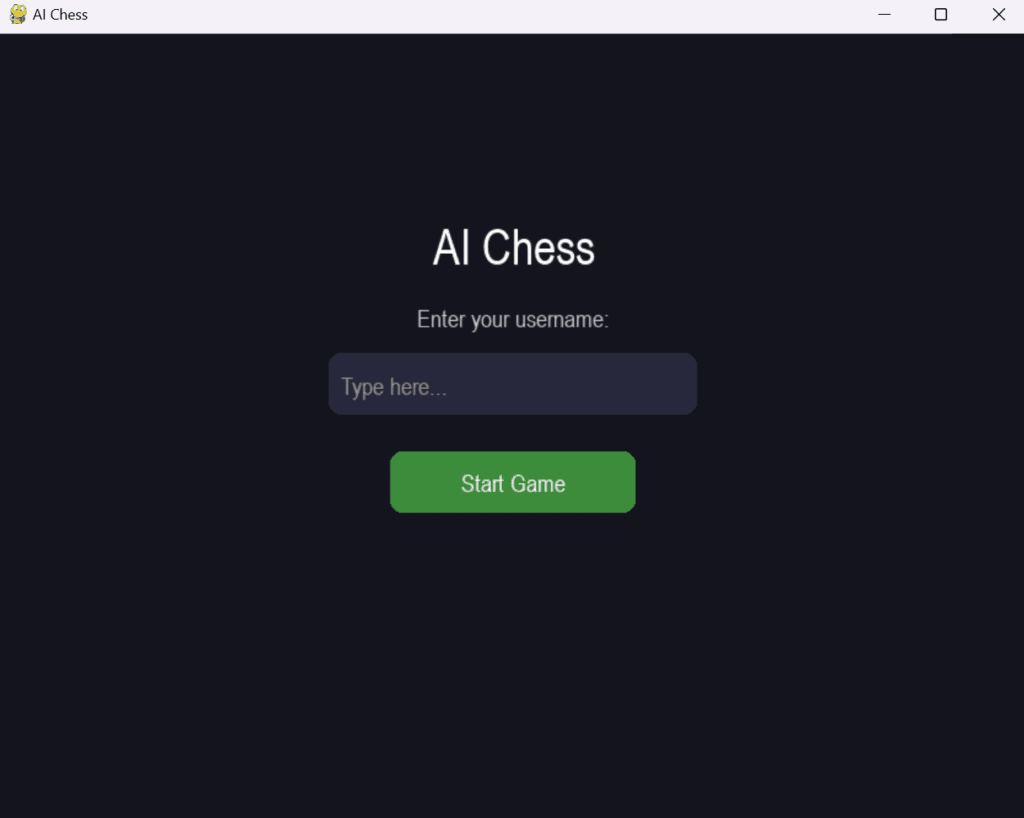
Opening Page of AI Chess game:
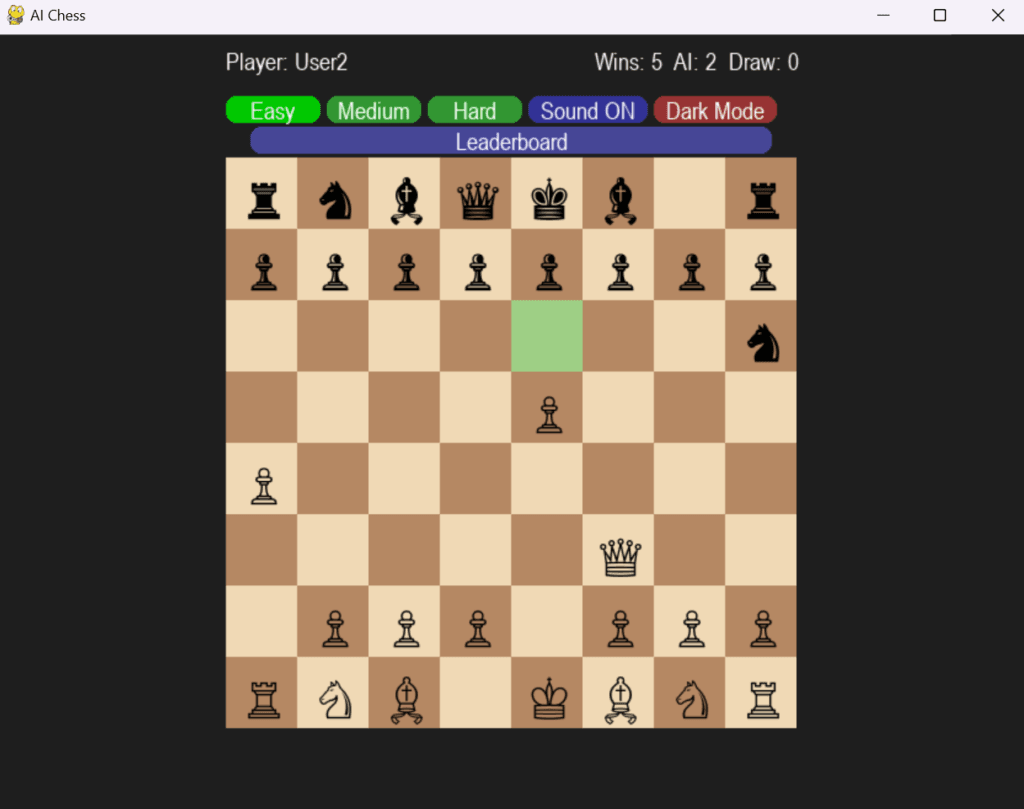
Game Page of AI Chess game:
Leaderboard page looks like this:
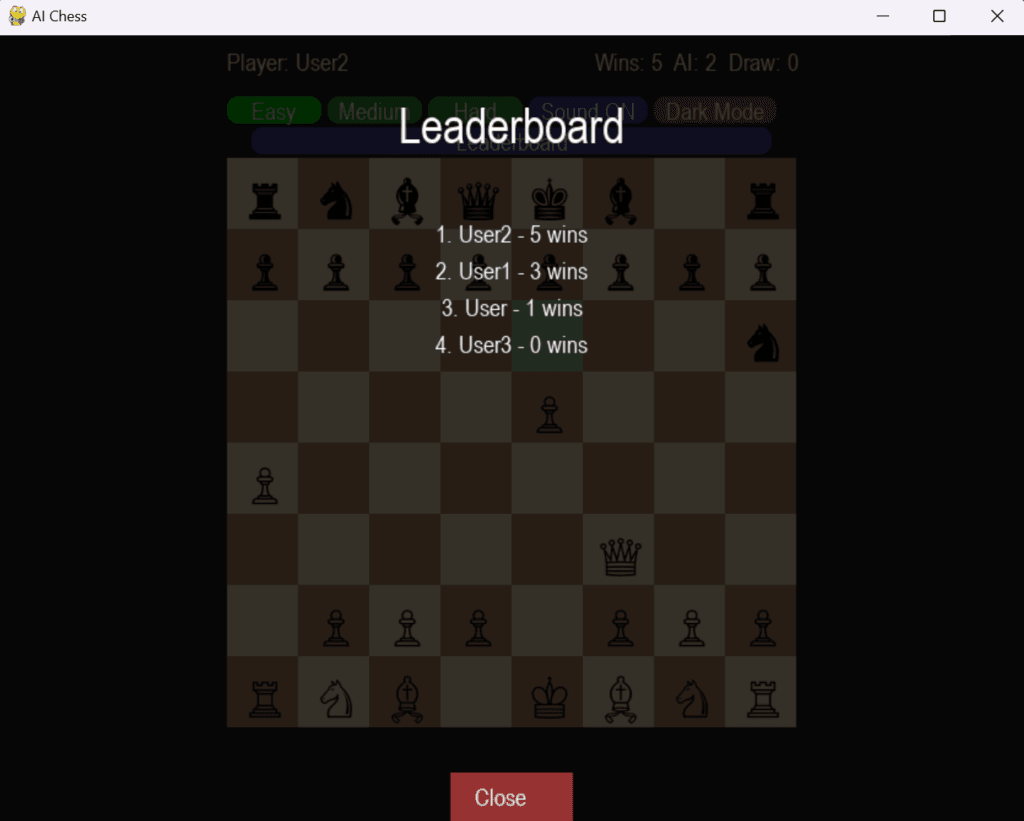
We can choose between Light Mode and Dark Mode:
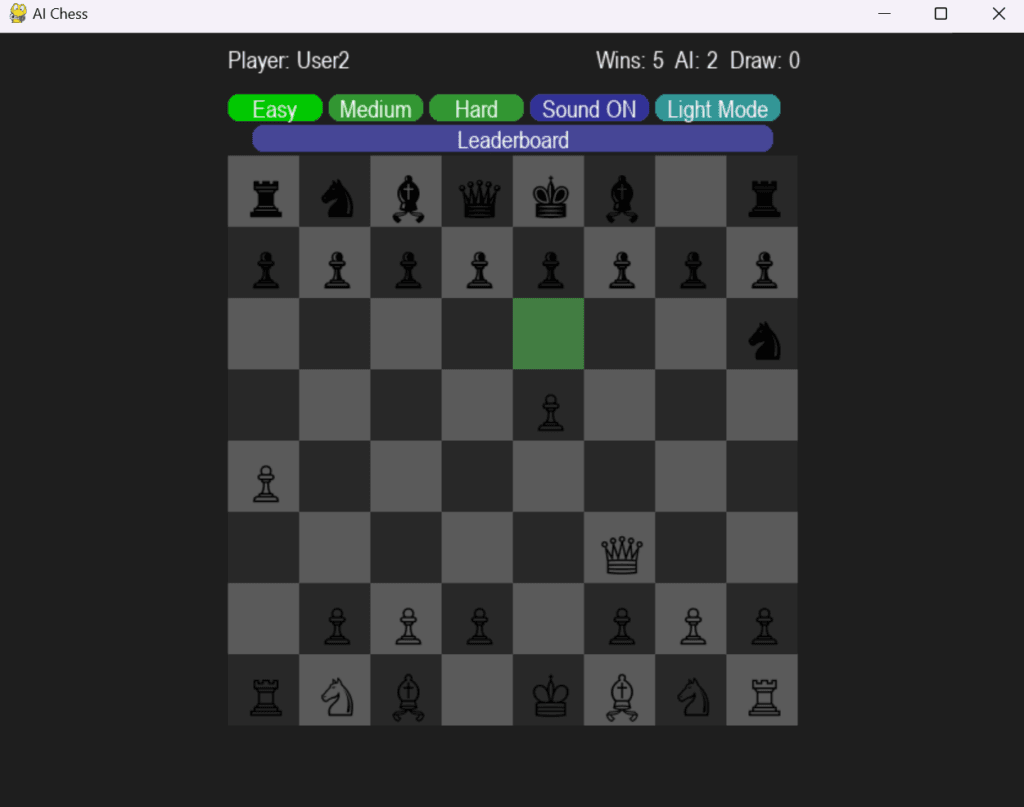
If you’re searching for a Chess AI project in Python, a final year engineering project, or a strong resume-building application using Artificial Intelligence, this page is designed exactly for you. This is not just another basic tutorial — it’s a complete, feature-rich Chess AI application that combines intelligent decision-making, modern UI, and real-world development practices.
This project demonstrates how classical AI techniques like the Minimax algorithm and Alpha-Beta pruning can be applied to a real game like chess, while also delivering a smooth and interactive user experience using Pygame. Whether your goal is to learn AI, submit a college project, or build a portfolio that stands out to recruiters, this project gives you everything in one place.
At its core, this Chess AI system uses the Minimax algorithm, a widely taught concept in Artificial Intelligence. The AI simulates possible future moves, evaluates different board positions, and selects the most optimal move assuming the opponent also plays optimally. To make this process efficient, Alpha-Beta pruning is used to eliminate unnecessary calculations, significantly improving performance. Along with this, a heuristic evaluation function assigns scores to board states based on piece values and game conditions such as checkmate or draw.
The result is an AI opponent that doesn’t just play randomly, but actually thinks ahead and makes strategic decisions. This makes the gameplay engaging for beginners as well as intermediate players.
The application itself is built using Python and Pygame, providing a clean and modern graphical interface. It supports all standard chess rules, including legal move validation, check detection, and game-ending conditions. The interface is designed to be user-friendly, with features like highlighted valid moves, smooth interactions, and a resizable game window. Additional enhancements like sound effects, dark/light mode, and interactive controls give it a polished, premium feel.
One of the standout features of this project is the user system. When starting the game, users can enter their username, allowing the application to track individual performance. A built-in leaderboard records wins, losses, and draws, storing the data locally using JSON. This makes the project feel more like a real product rather than just a simple script.
From an academic perspective, this project is highly suitable for final year submissions in B.Tech, BCA, MCA, or similar programs. It covers multiple important areas including Artificial Intelligence, algorithms, GUI development, and file handling. You can confidently present it as a Chess AI system using Minimax with Alpha-Beta pruning and an interactive graphical interface in Python.
For job seekers, this project adds significant value to your resume. Recruiters often look for candidates who can apply concepts in real-world scenarios. By showcasing a project that includes AI logic, game development, and user experience, you demonstrate both technical depth and practical implementation skills.
If your goal is learning, this project is equally powerful. It helps you understand how AI actually works behind the scenes, rather than just using libraries blindly. You’ll get hands-on experience with decision-making algorithms, game-tree exploration, and optimization techniques.
You can download the complete project as a ZIP file, which includes the full source code, assets like sound files, a requirements file, and documentation. The project is ready to run, making it easy to get started even if you’re a beginner.
Setting up the project is simple. After installing Python, you just need to install the required libraries such as pygame and python-chess. Once installed, you can run the main Python file and start playing immediately.
Another important advantage of this project is that it can be converted into a standalone desktop application. Using tools like PyInstaller, you can generate an executable (.exe) file, allowing the project to run on any Windows system without requiring Python installation. This is especially useful for project submissions and sharing your work with non-technical users.
This project does use real Artificial Intelligence — specifically classical Game AI. It implements core AI concepts that are fundamental in computer science and widely used in academic learning.
Quick Keywords:
chess ai project in python
python chess ai source code
minimax chess python
chess game with ai python
chess ai using pygame
python chess project with source code
ai chess game python minimax
chess ai project for final year
download chess ai project python
buy python ai project source code
chess ai project zip download
ready made ai project python
final year project with source code python ai
mini project ai python with code
computer science project ai python downlod